Title here
Summary here
You may want to change existing virtual servers’ storage type when a more suitable storage option becomes available. For example, you might set up network storage and want to move virtual servers from local to remote storage.
Different storage types have different advantages and drawbacks. When it is better to change the storage type for one or more virtual servers, change the storage type instead of recreating the servers.
You can change the storage type of any number of virtual servers at once. Those virtual servers can have different storage types and be hosted on different compute resources. After the change, all selected virtual servers use the storage type you choose.
The only limitations are as follows:
Storage type can only be changed for virtual servers that use the KVM virtualization type.
The selected storage type must be configured on each compute resource that hosts one or more selected virtual servers.
The selected storage type must have enough free disk space to accommodate all disks of all selected virtual servers.
Note:
You cannot change the storage type if your selection includes virtual servers that use the VZ virtualization type. Neither the storage type nor the image type can change for those servers. To avoid selecting VZ servers, apply the virtualization = KVM filter on the Virtual Servers page.
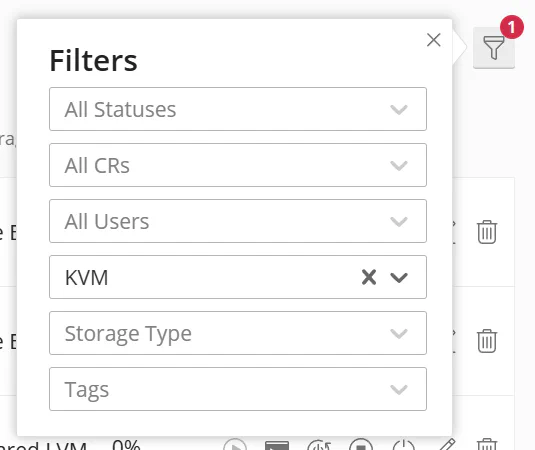
To change the storage type of one or more virtual servers:
 button.
The system creates tasks for changing the storage type for the selected virtual servers. You can see them on the Tasks page.
For each selected virtual server, the system creates a vm-storage-discover task. If a vm-storage-discover task fails, the system aborts the storage change for that server. Troubleshoot the root cause before trying again. To learn about the specific error that caused the failure, click the
 button next to the Failed status.

If a vm-storage-discover task succeeds, the system creates a vm-change-storage task for that server and starts changing the storage type.
Note:
During the storage change, the virtual server can operate normally. Reading from or writing to the disk should not interrupt the process or cause it to fail.
If a vm-change-storage task fails, the system aborts the storage change for that server. Troubleshoot the root cause, and then try again. If it succeeds, the process finishes and the server’s storage type changes.