Title here
Summary here
You can configure WHMCS products to provision SolusVM applications by setting up custom fields that correspond to the application’s required properties. This document explains how to identify application properties in SolusVM and create matching custom fields in WHMCS.
To provision a SolusVM application through a WHMCS product:
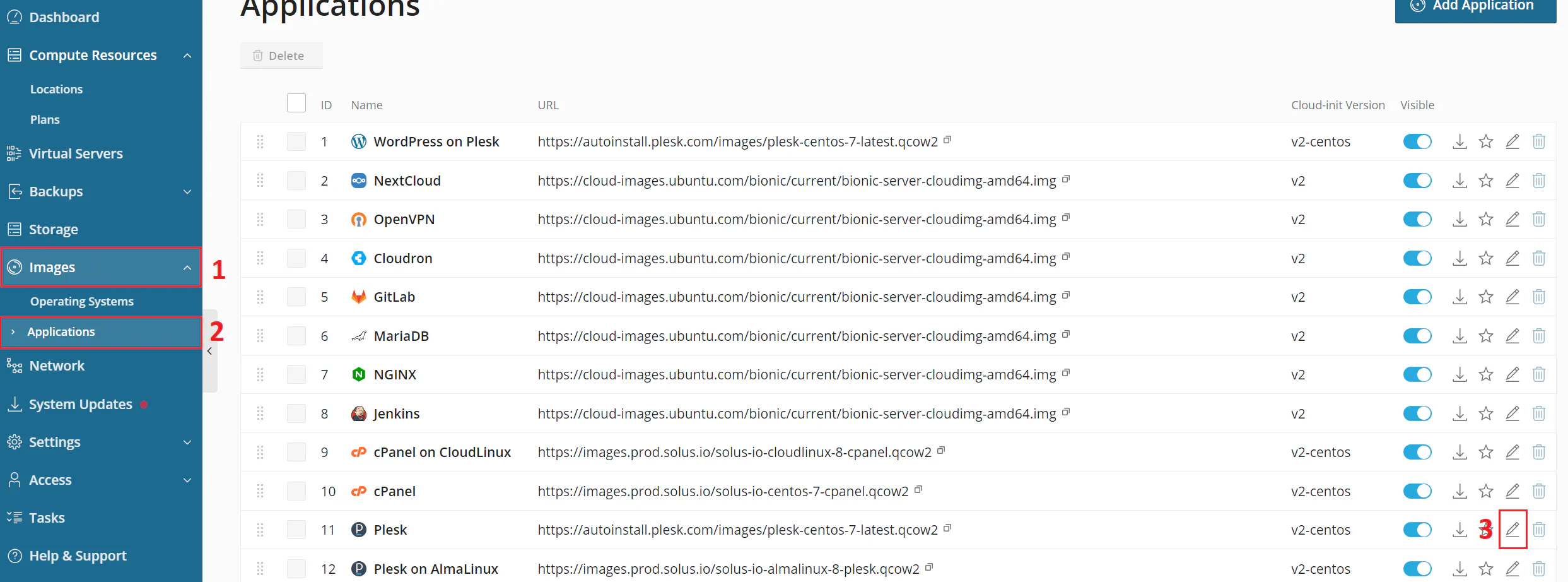
Find necessary properties for the required application. To do this, log in to your SolusVM management node and go to Images > Applications > Edit the application for the necessary application (in this case, Plesk).
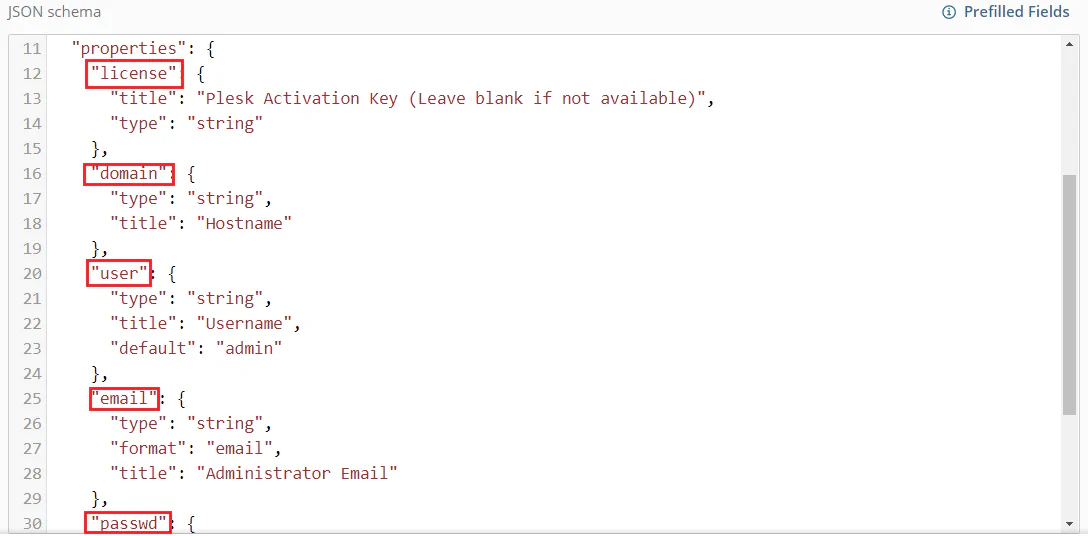
In the JSON schema field, find the properties section. In this example the necessary properties are:
Some of these properties are required. To check this, find the required section:
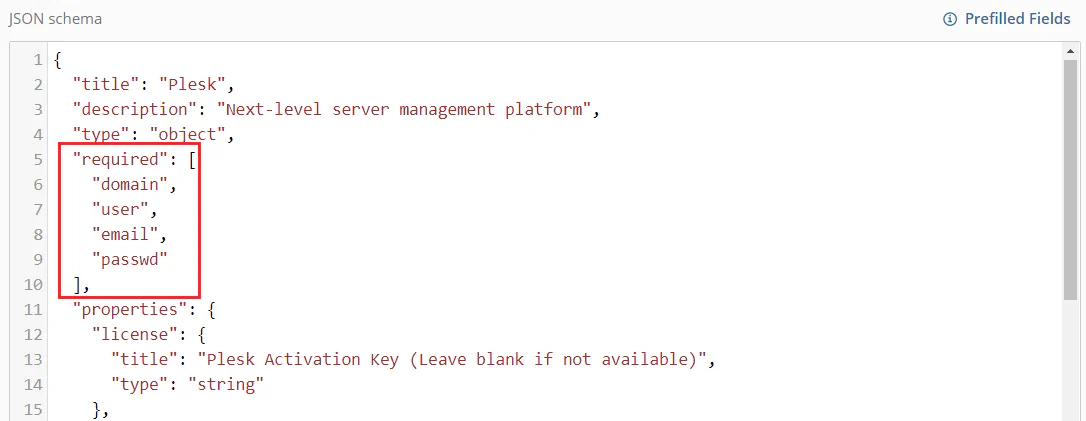
In this example, the required properties are domain, user, email, and passwd.
Log in to your WHMCS administrator account and create a new product.
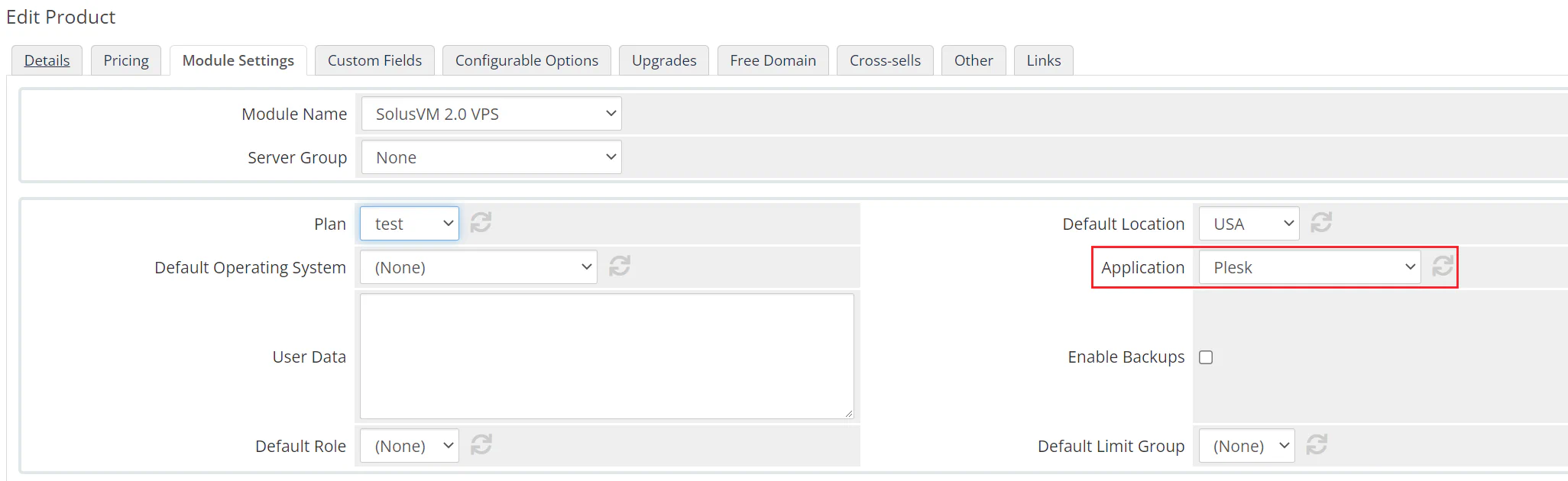
In System Settings > Products/Services > the created product > Module Settings, select the necessary application (in this example, Plesk):
Open the Custom Fields tab.
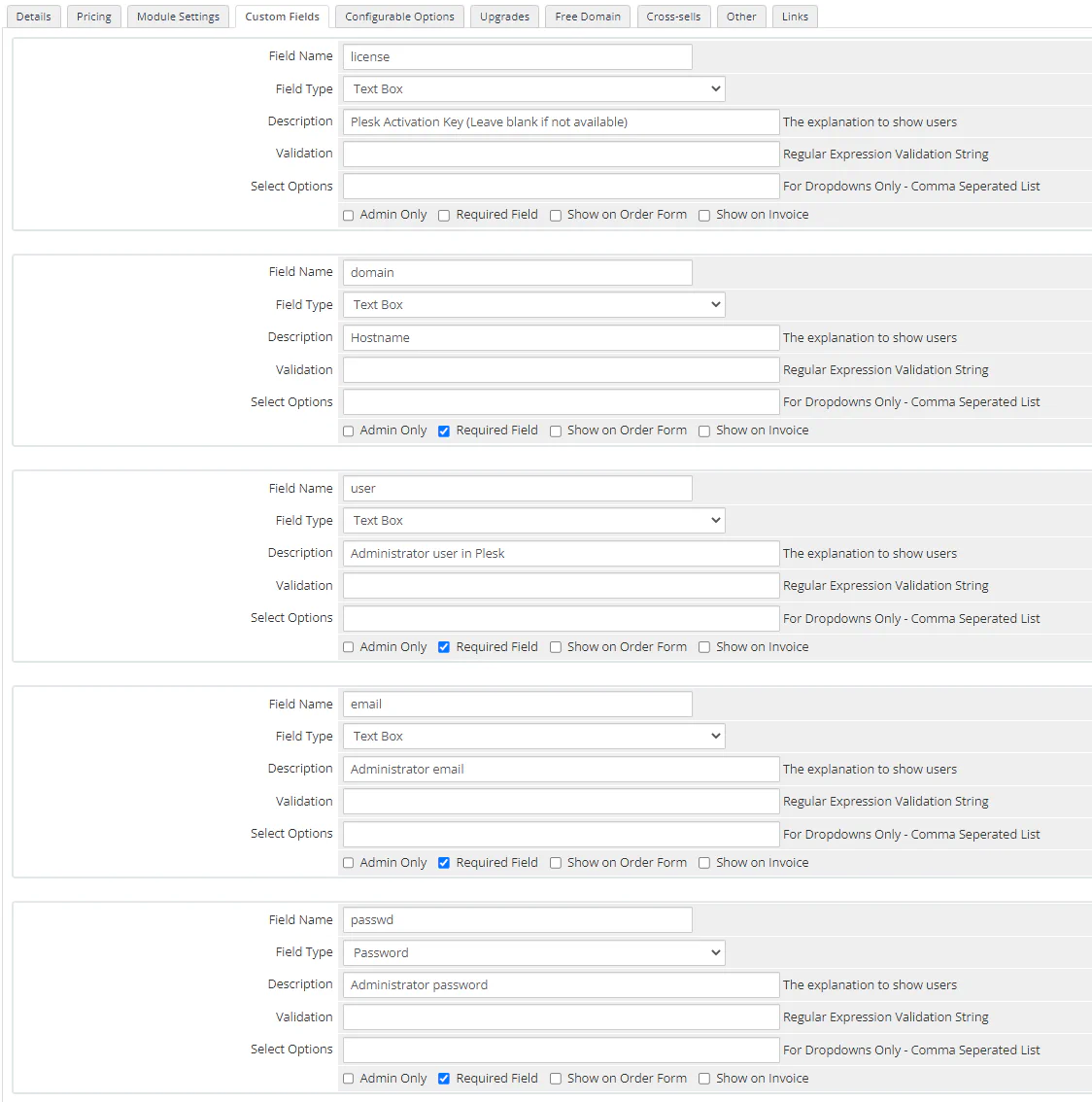
Create custom fields that correspond to the application properties from step 2:
passwd field), Field Type can be Password.The result is:
Click Save Changes.
Clients can now select this product and fill in the necessary fields for application initialization:
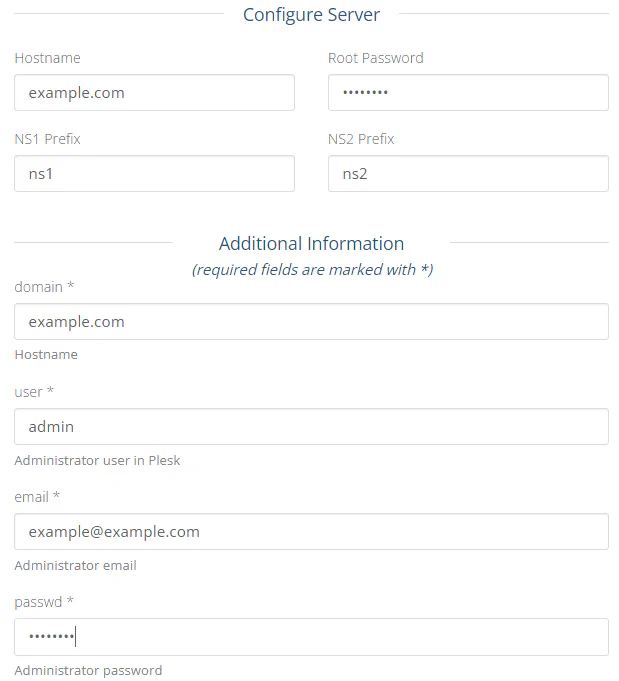
The system provisions the application with the values provided by the client during checkout.