Title here
Summary here
You can configure a custom field that allows customers to specify an SSH key when ordering a VPS product. This enables customers to use their own private keys to access the created VPS.
To configure the SSH key custom field:
Log in to the WHMCS administrator interface.
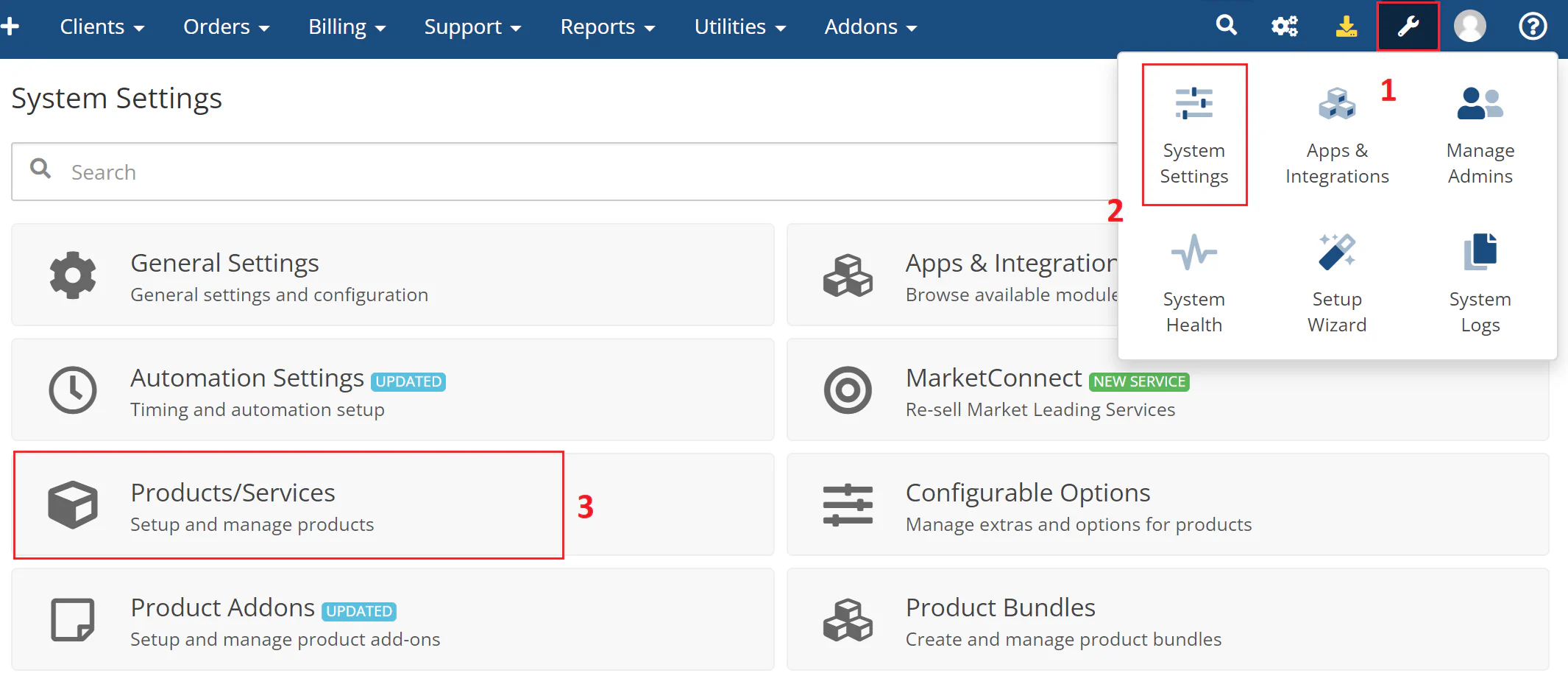
Navigate to System Settings > Products/Services > Edit Product for the product.
The following image shows the product edit interface:
Open the Custom Fields tab.
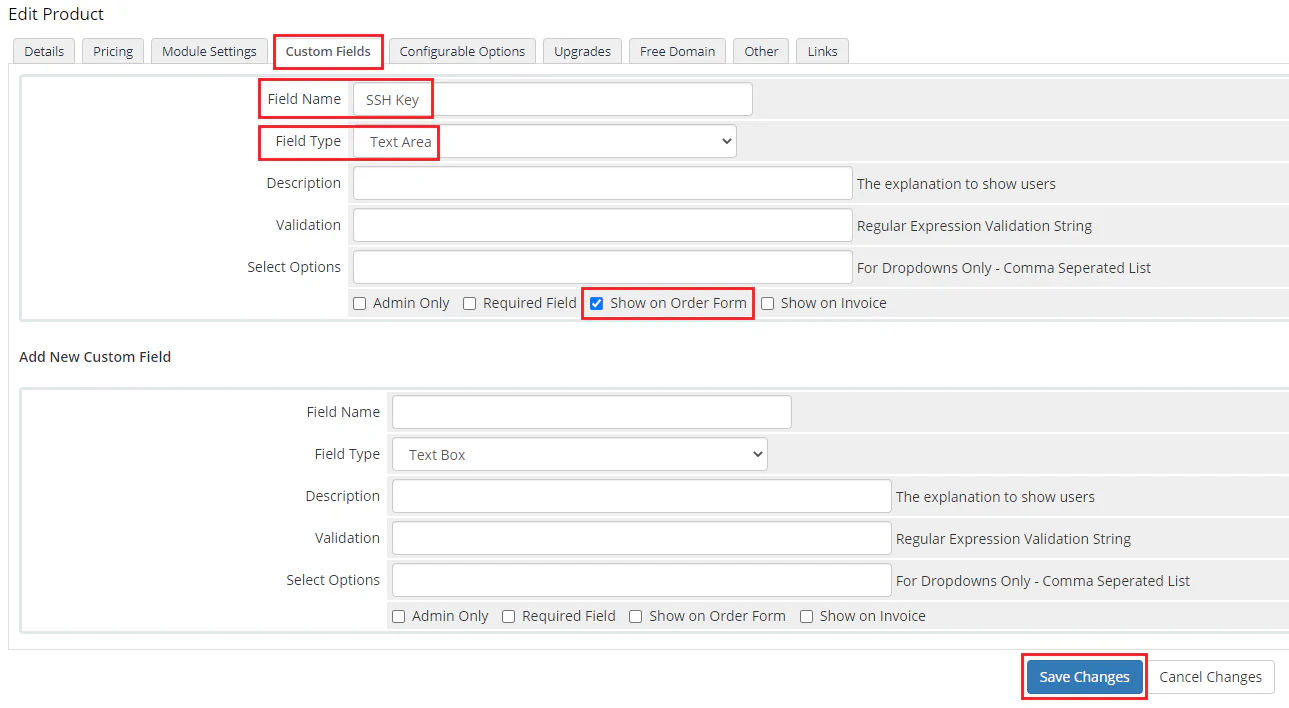
Set the following fields:
Field Name — SSH key
Field Type — Text Area
Show on Order Form — checked.
Click Save Changes.
The following image shows the custom field configuration:
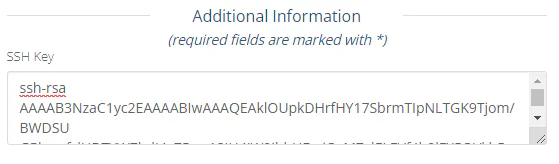
When customers purchase a product, they can enter their public key in the SSH Key field. Customers can then use their own private key to access the created VPS.
The following image shows the SSH key field on the order form: