Title here
Summary here
You can configure snapshots as a customizable option for SolusVM VPS products in WHMCS. This allows customers to enable snapshots when ordering.
Note:
This option is applicable only for KVM virtualizations with LVM or ThinLVM storage types. For File-based and NFS storage types, this option is applicable only for QCOW2 image format.
To configure snapshots as a customizable option:
Log in to your WHMCS administrator web interface.
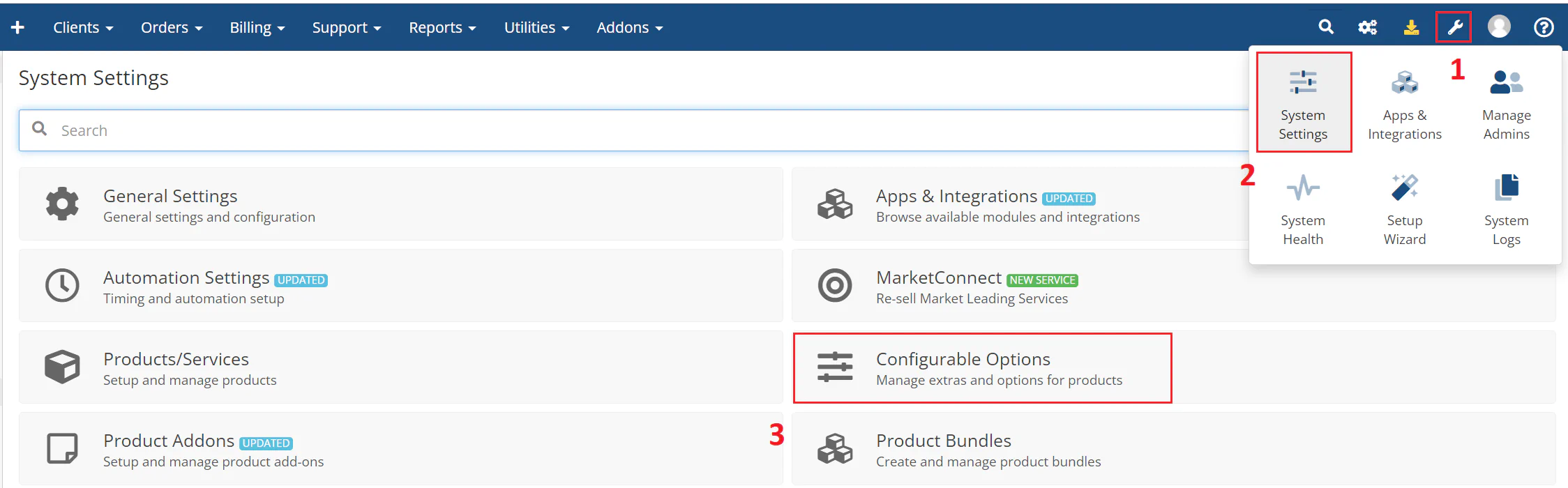
Navigate to System Settings > Configurable Options.
The following image shows the configurable options interface:
Click Create a New Group or select an existing group.
Note:
Keep the configurable option group for resource selection separate from other groups. You can use one configurable option group for several resources, but do not mix them with Operating System, Application, or Location.
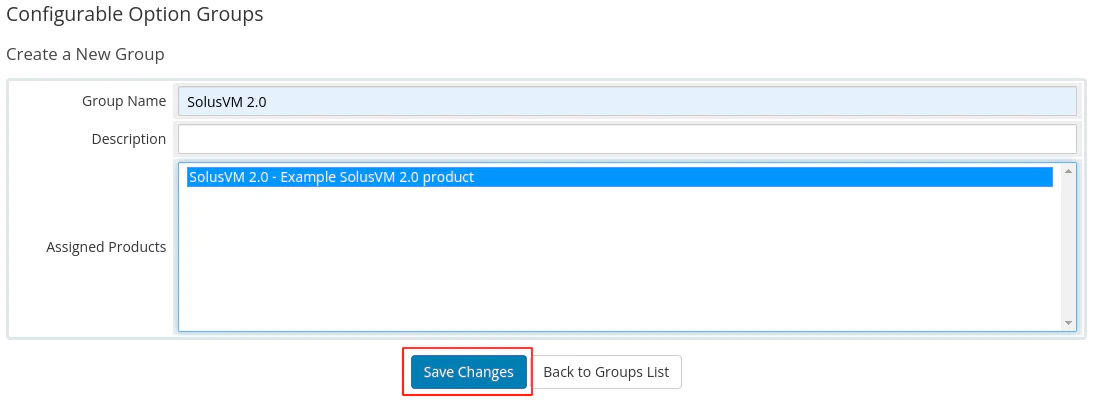
Enter a name for your group, select the product you created earlier to assign to the group, and then click Save Changes.
The following image shows the group configuration:
Click Add New Configurable Option.
The system opens a new browser window where you specify the option settings.
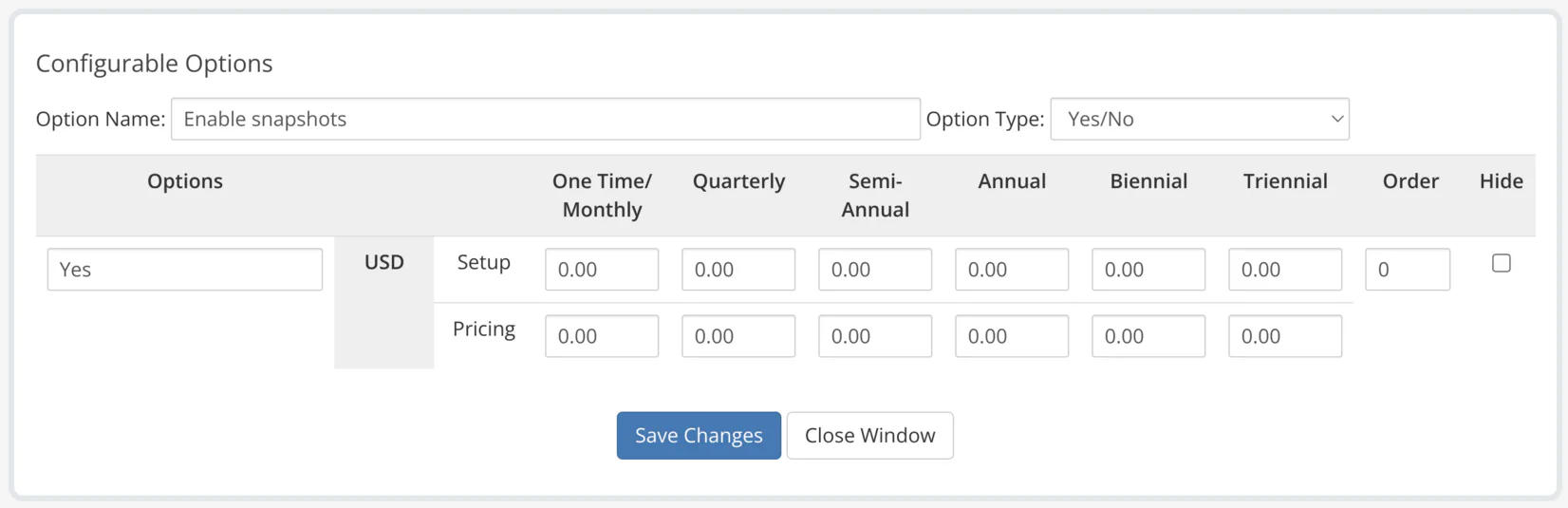
Enter Enable snapshots in the option name field and select Yes/No as the option type.
In the Add Option field, enter the option value Yes, and then click Save Changes.
Click Close Window.
The following image shows the snapshots configuration:
When customers choose your product, they can enable snapshots for SolusVM servers.