Title here
Summary here
You can allow customers to upgrade or downgrade resources of their SolusVM products in WHMCS. This requires configuring configurable options and enabling the upgrade feature for the product.
To configure upgrade and downgrade options:
Log in to the administrator interface of your WHMCS instance.
Create Configurable Options group for resources that you want to allow upgrading/downgrading.
Navigate to System Settings > Products/Services, and then edit the product for which you want to allow upgrading and downgrading.
Navigate to the Configurable Options tab.
Select the option group that you want to allow your customers to use for upgrade and downgrade of the product, and then click Save Changes.
Note:
Only resources (plan parameters) can be upgraded or downgraded. These include:
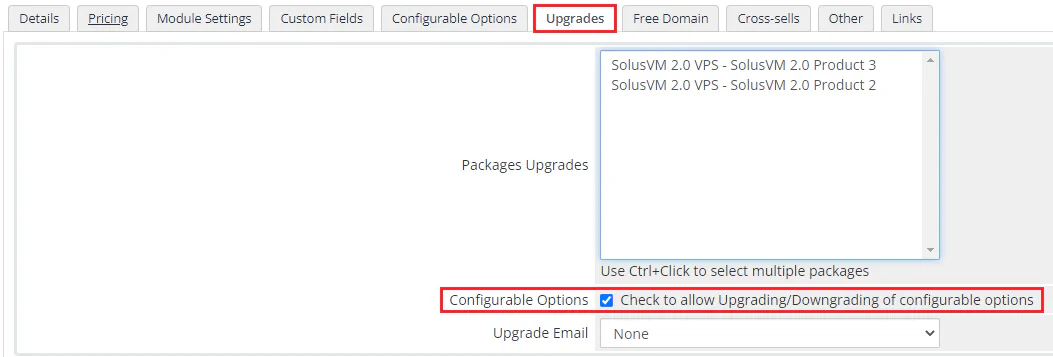
Navigate to the Upgrades tab.
Select the Configurable Options checkbox.
Click Save Changes.
The following image shows the package upgrades configuration: